
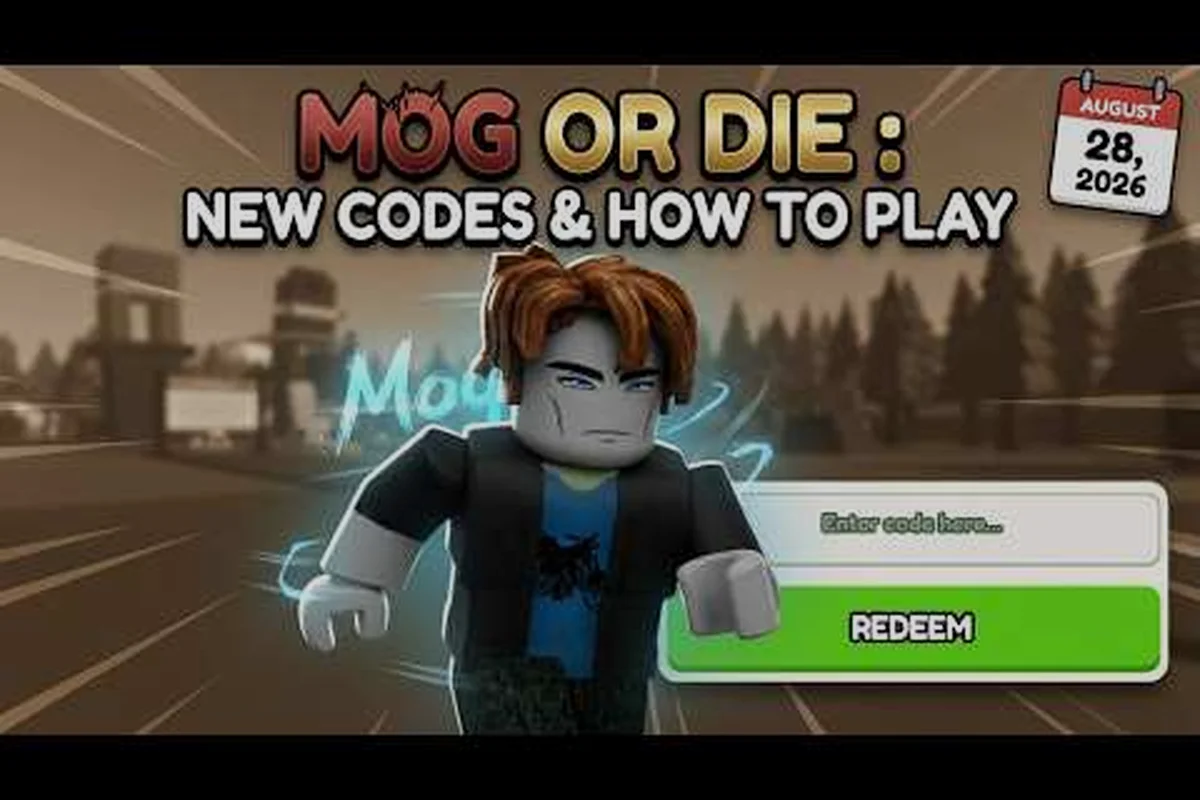
Mog or Die codes hand out free MogPoints, Lucky Spins, and short-window 2x Progress boosts that stack on top of everything your daily routine already earns, and missing a single redemption can cost you hundreds of points in a single session. This Mog or Die code guide walks through every active code, the exact button to press, and the two or three errors that silently cancel a reward before it lands.
The official Mog or Die game page on Roblox currently lists four redeemable codes tied to like milestones and major updates. The table below captures every working code and what it actually drops into your account.
Working Codes and What Each One Grants
Every code below is confirmed working through the lobby's hashtag icon, based on the official Mog or Die Roblox page as of September 2026. Rewards trigger instantly when the code is valid and your character is in a server with stable Roblox chat services.
| Code | Reward | Type | Source |
|---|---|---|---|
| tyfor300likes | 2,500 MogPoints + 30 min 2x Progress | Like-goal milestone | Unlocked at 300 likes |
| tyfor1.5klikes | 3 Lucky Spins | Like-goal milestone | Unlocked at 1.5k likes |
| Update2 | 30 min 2x All Progress | Major update drop | Update 2 patch |
| extracode | 3 Lucky Spins | Community bonus | Listed on game page |
All four entries sit in the "Active" column of the Mog or Die codes wiki and they cycle in and out as new like-goals hit. Codes that no longer trigger a popup will silently fail with a red "Invalid Code" banner, which is why verifying each entry before a session saves a stack of wasted trips back to the lobby.
How MogPoints and Spins Fit Into Your Build
MogPoints feed every permanent upgrade from the Look tree to the Aura slot, while Lucky Spins cover cosmetic rolls that do not affect raw stats but still cost currency to attempt. The combination of a flat MogPoint grant plus a short 2x Progress window is what makes the tyfor300likes entry the single most efficient code to redeem on any given day. If you want a deeper breakdown of how each currency route ladders up, the MogPoints currency guide maps the fastest farming paths after codes are exhausted.
Where to Find the Code Redemption Button
The code button is not buried in a settings menu and it is not a chat command. It is the hashtag symbol pinned to the top-left corner of the lobby HUD, and pressing it pops the redemption window the moment your character loads into the overworld.
Exact Redemption Sequence and Silent-Fail Timing
The exact sequence matters because one wrong step turns a valid code into a silent fail — the redemption client only checks input after the lobby has fully rendered, so clicking the hashtag icon or hitting Redeem too early returns a "code not found" response even when the string is correct. Paste a code, watch the success toast pop, then immediately close the window only after the buff or item visibly lands in your inventory.
-
Step 1: Load into Mog or Die through the Roblox client and wait for the lobby to fully render. Skipping this pause occasionally causes the hashtag icon to stay hidden for the first ten seconds.
-
Step 2: Click the hashtag icon in the top-left corner of the screen. The redemption window opens on top of your current lobby view.
-
Step 3: Type the code exactly as listed, paying close attention to lowercase letters and missing periods. tyfor300likes and tyfor1.5klikes are both lowercase with no spaces.
-
Step 4: Press the green Redeem button. A success toast drops from the top of the screen, and the reward lands in your inventory or active buff bar.
-
Step 5: Repeat for every code in the active list, then close the window with the X in the top-right corner of the popup.
Players who want a printable checklist alongside this walkthrough can save the Mog or Die code guide walkthrough video, which mirrors the same five steps against a live capture of the lobby. Pausing the video at each step lets you cross-check the hashtag icon position, the exact Redeem button color, and the moment the success toast appears, which is especially helpful if Roblox's redemption client returns a "code not found" error and you need to verify the popup timing before retrying with the active MogPoints or buff codes listed in the walkthrough description.
Why Some Codes Look Valid But Refuse to Trigger
A handful of red-banner errors come up often enough that they deserve their own list. Each one traces back to a small mistake that is easy to make in the first thirty seconds of a session, especially when typing on a controller or a touch keyboard.
-
Wrong capitalization — The tyfor prefix is lowercase, while Update2 uses a capital U. Mixed-case versions are rejected outright.
-
Code expired — Older like-goal codes (such as the original tyfor100likes drop) no longer trigger and return a red banner. Cross-check against the active list before retrying.
-
Stale client — An outdated Roblox client can refuse to read the current code pool. Restart the client and reload Mog or Die if every entry returns the same error.
-
Server lag — During the first minutes after a patch, the code service occasionally lags behind. Wait sixty seconds and retry the same code.
Stacking Codes on Top of Daily Free Rewards
Codes are the headline drop, but they sit on top of a much larger pool of Mog or Die daily free rewards that fire every session. Combining the two is the difference between a slow grind and a week of steady progress with very little extra effort.
The Daily Reward Layer
The daily layer runs on a 24-hour timer that starts the first time you load into a server each calendar day, resetting at midnight server time rather than on a 24-hour rolling window. None of these rewards require a code — they queue up automatically the moment your character spawns, so skipping a login means losing the queued login gift but does not break your streak multiplier as long as you log in before the next server-day rollover.
-
Daily login gift — A small flat MogPoint drop that scales with the number of consecutive days you have logged in.
-
Playtime milestones — Time-gated bundles at the 15, 30, 60, and 120 minute marks that grant a mix of MogPoints and Lucky Spins.
-
Streak bonus — A weekly multiplier that increases the size of every reward during a seven-day login streak.
The full breakdown of how these timers layer together, including the exact minute marks for each playtime bundle, lives in the Mog or Die daily rewards explained guide. There you will see how a 15-minute bundle stacks beneath your queued daily login gift, how a 120-minute session finishes the playtime ladder, and how the seven-day streak multiplier multiplies every MogPoint and Lucky Spin payout earned during the same login window — so the timing of your session matters just as much as the day you happen to log in.
Why Codes Sit at the Top of the Daily Stack
The Mog or Die code system is designed to layer on top of whatever the daily timer already granted, not replace it. That means redeeming tyfor300likes right after a playtime milestone fires is the cleanest way to stretch a single session, because the 2x Progress buff from the code multiplies everything you earn during its 30-minute window, including the MogPoints that drop from the playtime bundles themselves.
| Action | MogPoints / Buff | Stacks With Code Buff? |
|---|---|---|
| Daily login gift | Flat 100-300 MogPoints | Yes — bonus applies to the gift itself |
| 30 min playtime bundle | 800 MogPoints + 1 Spin | Yes — fires inside the 2x window |
| tyfor300likes code | 2,500 MogPoints + 30 min 2x Progress | Source of the buff |
| tyfor1.5klikes code | 3 Lucky Spins | Yes — Spins ignore the buff |
| Update2 code | 30 min 2x All Progress | Yes — second buff stacks with the first |
The bottom row is the key takeaway. Two separate 2x buffs can coexist if one is a 2x Progress buff and the other is a 2x All Progress buff, and the engine multiplies them rather than picking the larger value. Community testing shared in the Mog or Die codes wiki confirms this stacking behavior across both Update1 and Update2 patches.
Building a Mog or Die Free Gift Routine
A free gift routine is the difference between claiming once and forgetting about codes for a week, then losing two or three windows of stacked buffs in the process. The structure below is what experienced players run, and it folds in every passive reward Mog or Die ships today.
The 10-Minute Daily Loop
The shortest reliable routine that still picks up every reward layer runs in roughly ten minutes, and it is the right starting point for new players who are still learning the rest of the loop. If you want a deeper primer on what to do once that ten minutes is up, the Mog or Die beginner guide maps the next thirty minutes of progression.
-
Minute 0-1: Load in, claim the daily login gift from the popup banner.
-
Minute 1-2: Open the hashtag icon, redeem every active code from the table above.
-
Minute 2-4: Queue into a low-tier MOG Battle to burn through the 2x Progress window with active play.
-
Minute 4-6: Open the playtime milestone tracker, confirm the 15-minute bundle is in range.
-
Minute 6-10: Idle in the lobby or run a quick Aura reroll to bank the bonus Spins from tyfor1.5klikes or extracode.
This loop is the minimum viable daily routine, and it picks up roughly 3,000 MogPoints plus 6 Lucky Spins on a fresh day before any active grinding starts. The exact totals vary by streak length and current event, but the structure does not change.
Mog or Die Codes Today vs. Codes in October
A common question is whether the active set changes between months or whether it is locked to the current quarter. The honest answer is that the active set shifts whenever a new like-goal hits or when a major update lands, and there is no fixed monthly rotation. That is why trackers like the Mog or Die codes October reference stay useful: they capture the codes that are most likely to remain valid through the next like-goal window, plus a running list of expired entries to avoid.
The table below is a quick reference for what to expect in the October window based on the current cadence of Mog or Die like-goal releases since the late July 2026 launch, mapping each fortnight against the like-threshold triggers (2k likes milestone), the patch-drop window where Update 3 could land, and the codes that are most likely to still be live or queued for retirement. Because the active set shifts whenever a new tyfor-style like-goal hits rather than rolling on a fixed calendar, treat the early, mid, and late-October rows as a snapshot of probability rather than a guarantee, and always verify against the live Mog or Die Roblox game page before redeeming.
| Period | Likely Active Codes | Like-Goal Trigger | Patch Trigger |
|---|---|---|---|
| Early October | tyfor300likes, tyfor1.5klikes, Update2, extracode | None expected at start | None expected at start |
| Mid October | Add a new tyfor2klikes if the goal hits | 2k likes milestone | Update 3 patch possibility |
| Late October | Retire tyfor1.5klikes if expired | New like-goal rollover | None |
This schedule is community-sourced and based on the cadence of like-goal releases since the Mog or Die Roblox game launch in late July 2026, but it is not guaranteed. Always cross-check with the live game page before assuming a code is still live.
Common Mistakes That Wipe Out a Mog or Die Free Gift Claim
Even with the right codes in hand, a few small mistakes can silently cancel the reward before it lands. Most players only notice the loss an hour later when a stat upgrade fails to apply or a Spin count refuses to move.
Server Timing and the 2x Window
The 2x Progress buff from tyfor300likes and the 2x All Progress buff from Update2 both run on a real-time clock, not on the server's tick rate. If you redeem a code, then log out and back in within the buff window, the timer continues from where it left off. If you redeem a code, then join a fresh private server, the buff may not propagate to the new server until you re-enter the lobby. This is the single most common reason players report that a buff "did not work" when, in fact, they redeemed the code in one server and tried to use the buff in another.
Reading the Reward Toast Correctly
A red toast with the word "Invalid" means the code itself is wrong or expired, while a yellow toast with the word "Already Claimed" means the code is valid but you have already redeemed it on this account. Both are different from a missing toast, which usually means the reward tab was closed too quickly. The fix in every case is to reopen the hashtag icon, check the codes you have already redeemed this session, and only retry the entries you have not yet claimed.
What to Do After Codes Are Redeemed
Once the full active list is empty, the next-best use of time is to push through the highest-value playtime bundles while a 2x buff is still ticking. The 60-minute and 120-minute bundles are the two largest paydays in the daily layer, and stacking them inside a 2x window is the cleanest way to convert a single code redemption into a full evening of bonus MogPoints.
If you want to plan around the next round of code drops, watch the Mog or Die game page for new entries after every like-goal hits. The like counter sits in the game's social panel, and the developer posts the new code to the game description the moment a milestone is reached. Pairing a fast code claim with the next buff window is the cleanest end-of-session wrap.
Frequently Asked Questions
Where do I enter Mog or Die codes today?
Open the hashtag icon in the top-left corner of the lobby, type the code exactly as listed (matching capitalization matters for tokens like tyfor300likes), and press Redeem. Rewards land instantly when the code is active and your client is current, but paste carefully because a single typo triggers the red "Invalid Code" toast and locks the input field for roughly three seconds before you can retry.
How do I claim free MogPoints from a code?
Codes like tyfor300likes drop MogPoints straight into your wallet the moment the success toast appears, with no second click and no follow-up popup required, so check your balance bar immediately to confirm the grant landed. If the counter does not move within two seconds, the code was likely region-locked, already redeemed on your account, or silently dropped by the post-update retirement filter.
Do Mog or Die codes stack with daily rewards?
Yes, daily login gifts, playtime milestones, and code drops all coexist in the same session. A 2x Progress buff from a code multiplies the MogPoints you earn from playtime bundles, which is why pairing the two is the cleanest use of a session.
How long does a Mog or Die free gift code stay active?
There is no fixed expiration, but the developer retires codes after the next major update or like-goal rollover. Treat any code older than one patch as a coin flip and verify against the live game page before assuming it still works.
What is the fastest way to claim every Mog or Die free reward?
Run the ten-minute daily loop, redeem all four active codes back to back, then push through the 30 and 60 minute playtime bundles while the 2x Progress buff is still active. This pattern clears every daily reward layer in a single sitting.