
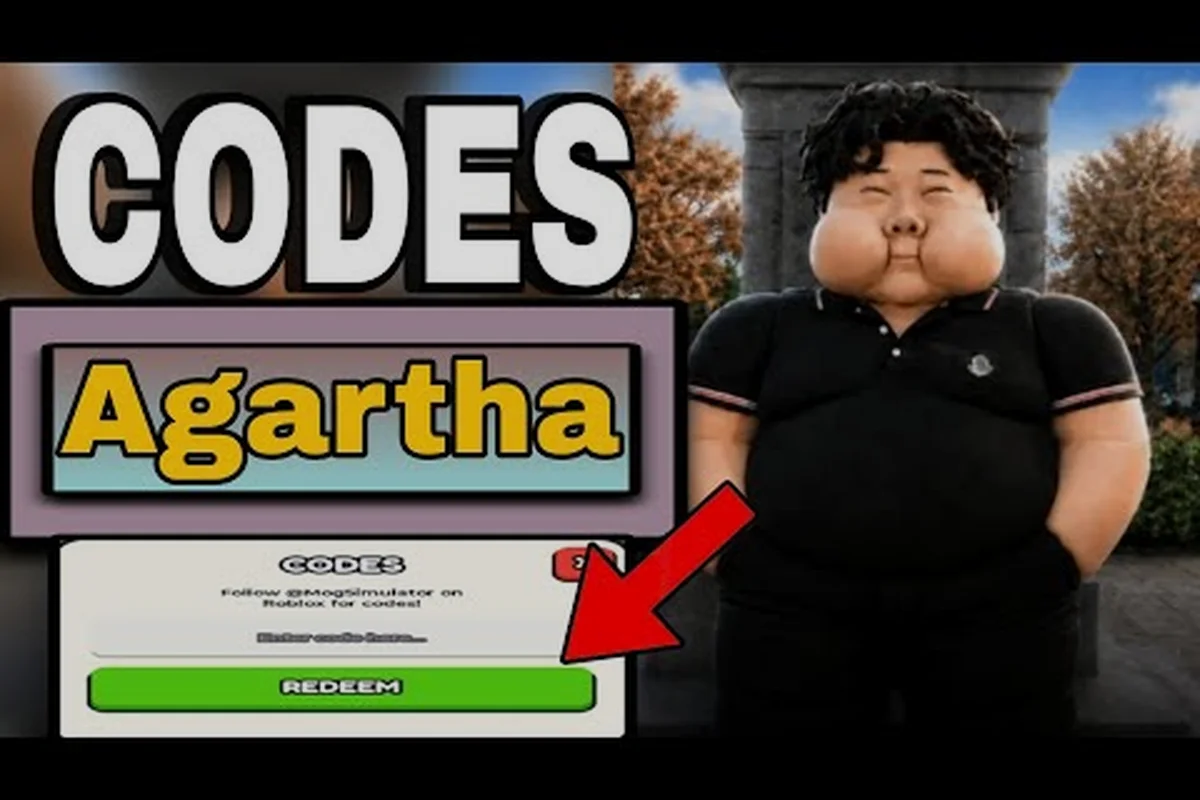
Getting free Lucky Spins in Mog or Die is one of the fastest ways to chase new looks without grinding for hours, and the current batch of active codes is built around exactly that reward. This guide breaks down every working Mog or Die code that drops Lucky Spins, how to redeem them through the lobby's # icon, and what to do when a code refuses to accept your input. You will also find the like-goal timeline, troubleshooting steps, and a FAQ covering the most common redemption headaches players report on Roblox.
Active Mog or Die Codes That Reward Lucky Spins
Lucky Spins are the rarest standard reward in Mog or Die, so every code that grants them tends to disappear quickly once the community catches on. As of the latest Roblox game page snapshot, only a small set of like-milestone and update codes actually hand out Lucky Spin rolls, while the rest of the active list focuses on MogPoints and 2x progress windows. Knowing which code does what saves you from wasting a slot on a string that only gives you a short boost.
Currently Working Lucky Spin Codes
| Code | Reward | Code Type | Milestone / Source |
|---|---|---|---|
| tyfor1.5klikes | 3 Lucky Spins | Like goal | 1,500 likes milestone |
| extracode | 3 Lucky Spins | Community / update drop | Update 2 era |
| tyfor300likes | 2,500 MogPoints + 30 min 2x Progress | Like goal | 300 likes milestone |
| Update2 | 30 min 2x All Progress | Major patch | Update 2 release |
Among the four codes listed on the official Mog or Die Roblox game page, only tyfor1.5klikes and extracode are pure Lucky Spin drops. The other two are still worth pasting because they stack with whatever rolls you already have, but if you only care about cosmetic chasing, prioritize the two Lucky Spin codes first. The drop pattern follows the developer's standard template: a like-goal code unlocks at a round number, then a thank-you code fires when the next milestone lands.
Lucky Spins vs Other Rewards at a Glance
| Reward Type | How It Helps Your Run | Best Use Case |
|---|---|---|
| Lucky Spin (3 rolls) | Direct cosmetic roll on the Lucky Spins wheel | Chasing rare faces, eyes, jaw, body presets |
| 2x Progress (30 min) | Doubles all stat gains for half an hour | Power-leveling after a death run |
| MogPoints (2,500) | Soft currency for lobby upgrades and rerolls | Saving up for permanent multipliers |
If you just respawned and want to recoup some stat loss, paste a 2x Progress code first, then queue your Lucky Spins so the rolls count while the boost is active. The order matters because MogPoints earned during 2x still feel faster, but the cosmetic value of a Lucky Spin is locked to the wheel and does not benefit from any progress multiplier.
Step-by-Step Redemption for New Players
The Mog or Die codes redemption flow is short, but Roblox UI quirks catch a lot of new players off guard, especially on mobile. The button you need is not labeled "Codes" or "Promo" — it is hidden behind the small # icon sitting in the top-left corner of the lobby. Missing that icon is the number one reason players think the code system is broken.
Step-by-Step Redemption on PC
-
Launch Mog or Die from your Roblox library and wait for the lobby to fully load.
-
Look at the top-left corner of the screen, just above the player count.
-
Click the # icon to open the text-entry box.
-
Type or paste the code exactly as written (case-insensitive but spacing matters).
-
Press Enter or click the redeem button to confirm.
If the input is accepted, the reward should pop up as a notification on the right side of your screen, and the icon briefly flashes. If nothing happens, the field clears, or you get a "code not found" style message, the code has either expired or you mistyped one character. Most players report the redemption being instant, with the only delay coming from a slow Roblox server handshake during peak hours.
Step-by-Step Redemption on Mobile
-
Open Mog or Die through the Roblox mobile app and enter the lobby.
-
Tap the small # icon in the top-left, the same one PC users click.
-
The on-screen keyboard will appear with a text field.
-
Paste the code using long-press → Paste to avoid typos from manual entry.
-
Tap the green check or Enter key to submit.
The mobile experience is essentially identical to PC, but the # icon can overlap with the Roblox top bar on smaller screens, so zoom in or rotate to landscape if you cannot find it. Players on older devices sometimes need to relaunch the game once before the code entry box responds to taps, which is a known Roblox client issue rather than a Mog or Die bug.
Why Mog or Die Codes Stop Working and How to Fix It
Most Mog or Die codes not working errors come from a handful of repeatable causes, and almost all of them have a quick fix once you know what to look for. The game does not show a detailed error message, so you have to debug the input yourself. Below are the four most common reasons a valid code refuses to redeem, ranked by how often community players run into them.
Redemption Error Symptoms and Quick Fixes
| Symptom | Likely Cause | Fix |
|---|---|---|
| Code box closes without a popup | Expired code | Cross-check against the latest active list on the Roblox game page |
| Nothing happens on submit | Typo or stray space | Re-copy the code from a trusted source instead of typing it |
| "Invalid code" or red flash | Server-side rollout delay | Wait 10-15 minutes after a new code drop, then retry |
| Reward pops up but inventory empty | Visual lag on Roblox | Re-enter the lobby and check your stats / wheel counter |
Expired codes are by far the biggest reason Mog or Die players hit a wall. The developer does not always announce when a code is retired, so the only reliable way to check whether a Mog or Die code is still live is to confirm it against the Mog or Die codes wiki page or the description on the official Roblox game page. If the code does not appear in either place, treat it as dead even if a YouTube video from last week still shows it working.
Server Rollout Delays After Update Drops
Whenever the developer pushes a new update — like the Update 2 patch that introduced the Update2 code — there is usually a 10 to 30 minute window where the new string is live on social media but not yet wired into the lobby's code table. If you are trying to redeem right after the patch goes live, wait a few minutes and try again rather than assuming the code is broken. Community reports on the latest patch cycle suggest most rollout delays clear within half an hour, and the same window applies to like-milestone codes that unlock during a viral spike.
Tracking Channels That Drop New Codes First
Because the game's code cadence is tied to like milestones and major updates, the fastest way to never miss a drop is to track the right channels. The developer is not running a daily login bonus system yet, so every code that appears in the game is a one-time string tied to a specific event. Setting up lightweight alerts saves you from finding out about an expired code three days after the fact.
Where New Codes Are Announced
| Channel | What You'll Find | Reliability |
|---|---|---|
| Roblox game page description | All active codes listed in the about section | High (official) |
| Developer group announcements | Update patch notes and new code drops | High (official) |
| YouTube creator videos | Early look at new codes after milestones | Medium (verify before pasting) |
| Community Discord servers | Player-shared findings and expired alerts | Medium (cross-check) |
The official Roblox game page remains the single best source for Mog or Die free codes because the description is updated by the developer directly, usually within minutes of a new code going live. The Mog or Die code guide here on the site also gets refreshed against that page whenever a milestone hits, so it is worth bookmarking if you redeem codes often. YouTube videos are useful for spotting codes within hours of a milestone, but always paste them into the lobby yourself before assuming they still work, because creators sometimes showcase expired strings in compilation videos.
Like-Goal Code Timeline
| Milestone | Typical Code | Reward Pattern |
|---|---|---|
| 100 likes | tyfor100likes (historical) | MogPoints or short 2x |
| 300 likes | tyfor300likes | 2,500 MogPoints + 30 min 2x |
| 1,000 likes | tyfor1klikes (historical) | Mix of MogPoints and spins |
| 1,500 likes | tyfor1.5klikes | 3 Lucky Spins |
The 1,500 likes milestone is the most recent confirmed drop in this cadence, and tyfor1.5klikes remains the highest-value Lucky Spin code currently in the active list. Based on the pattern, the next likely milestone is a round 2,000 or 2,500 likes code, but the developer could also break pattern and drop a themed code tied to a future update. Either way, the reward tier scales with the milestone number, so later codes tend to give more Lucky Spins or longer 2x windows than earlier ones.
What to Do If Your Code Is Genuinely Expired
Once a code leaves the active list, there is no way to bring it back, and Mog or Die does not have a legacy redemption menu for old players. This frustrates a lot of returning users who try to paste a string they remember from a YouTube video and get nothing. Understanding what "expired" actually means in this game helps set the right expectations.
Expired codes are removed silently rather than flagged, so the lobby will simply reject the input without telling you why. The cleanest workflow is to always test a code from a freshly updated source instead of memory, especially if the string contains a number (like tyfor1.5klikes) that hints at a milestone you may be misremembering. If you want to keep tabs on the freshest strings, the Mog or Die 2026 code list is updated as new codes land and old ones expire, so you can cross-reference any code you are unsure about without digging through old videos.
When to Wait vs When to Give Up
-
Wait if: the code is from a creator video less than 24 hours old, the milestone was just hit, or you see other players discussing it on social media.
-
Give up if: the code does not appear on the official Roblox page description after 48 hours, the like milestone the code references has been superseded, or the developer has announced a new update that retired the old patch's code.
For the long-term health of your account, do not waste Mog or Die codes not working troubleshooting on third-party "code generator" sites — those are universally scams designed to phish Roblox credentials. Stick to the official game page, the developer's group, and reputable creator content, and you will never miss a legitimate drop or hand your login to a bad actor.
Frequently Asked Questions
How many Lucky Spins do active Mog or Die codes give right now?
Two of the four currently active codes give Lucky Spins: tyfor1.5klikes awards 3 Lucky Spins and extracode also awards 3 Lucky Spins. The other two codes (tyfor300likes and Update2) focus on MogPoints and 2x Progress boosts instead, so prioritize the Lucky Spin codes if cosmetics are your main goal.
Where exactly is the code button in Mog or Die?
The code button is the small # icon in the top-left corner of the lobby, just above the player count. Click or tap it once to open the text-entry box, then paste the code and hit Enter. The button is the same on PC, mobile, and tablet, though on smaller screens you may need to look closely because it blends into the Roblox top bar.
Why does my code say "invalid" even though it worked yesterday?
The most likely reason is that the code has been retired by the developer, which happens silently in Mog or Die with no warning popup. Other common causes include typos, stray spaces at the start or end of the string, and server rollout delays right after a new update. Always re-verify the code against the official Roblox game page before troubleshooting further.
Do Mog or Die codes expire, and is there a way to check?
Yes, every Mog or Die code expires once the next milestone or update arrives, and there is no in-game warning when a code is retired. The only reliable way to check expiry is to confirm the code still appears on the official Roblox game page description or a freshly updated community resource. If it has disappeared from the official source, treat it as expired even if older videos still show it working.
Can I redeem the same code more than once on one account?
No, each Mog or Die code is single-use per Roblox account. Once a string is redeemed, the lobby will reject any further attempts on the same account even if the code is still active globally. The only way to use a code again is on a different Roblox account, which is not recommended and may violate the game's terms of service.